Skip to product information
1 of 14

DashTab™ PRO 10 - Car Infotainment Unit + Front Dashcam + BONUS Reverse Parking Camera

DashTab™ PRO 10 - Car Infotainment Unit + Front Dashcam + BONUS Reverse Parking Camera

Regular price $159 AUD
Regular price $399 AUD Sale price $159 AUD
Autumn SALE! SOLD OUT
Quantity

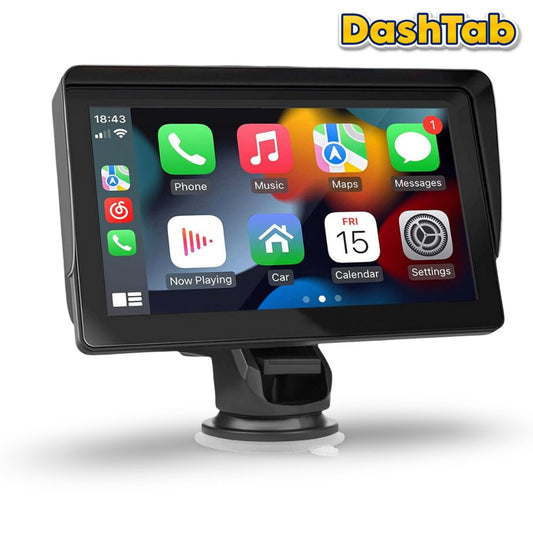
📲 Wireless Apple CarPlay & Android Auto 

Easily connect your smartphone via Bluetooth, WiFi, or USB to access music, maps, messages, and hands-free calls. Use Siri or Google Assistant for full voice command control right from the DashTab PRO 10 touchscreen display

🗺️ Real-Time GPS Navigation

Display live directions from Apple Maps, Google Maps, or Waze directly on the DashTab PRO 10's display—smooth and lag-free. Enjoy safer, more convenient driving with turn-by-turn guidance at a glance

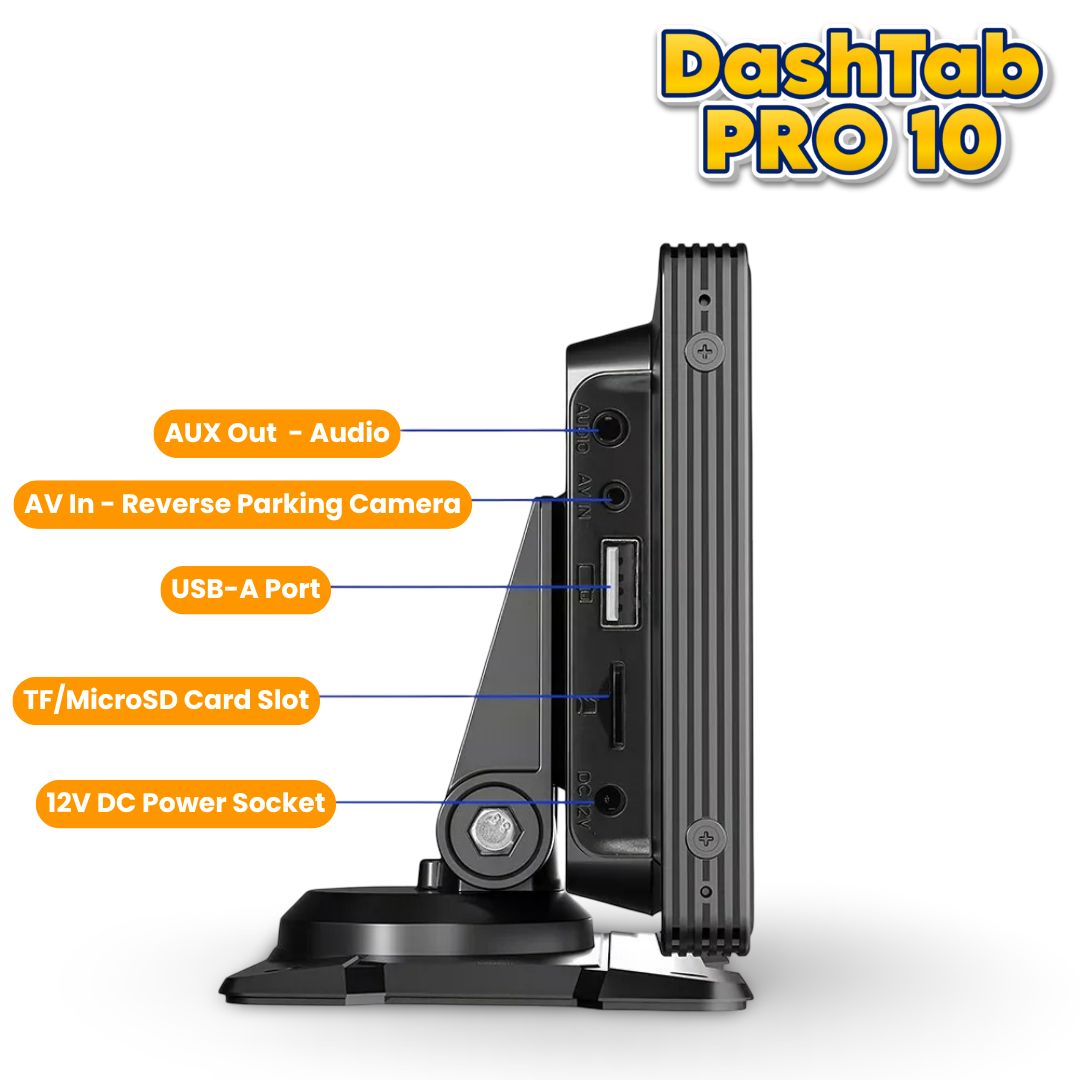
🅿️ Reverse Parking Camera Support

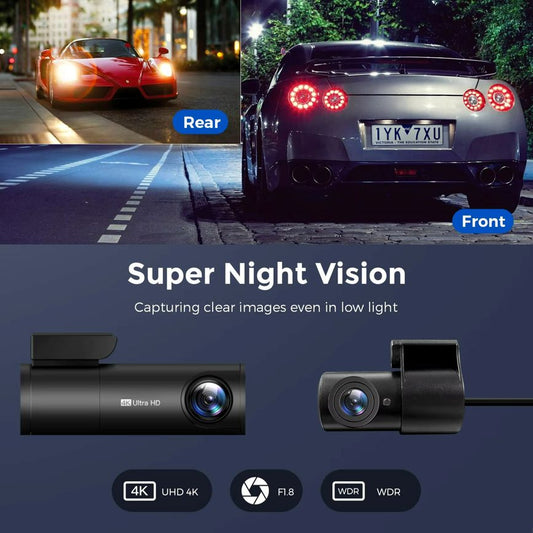
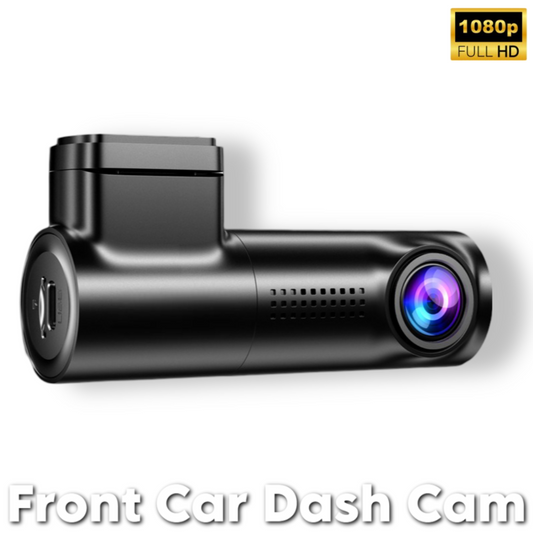
DashTab PRO 10 features a 4K front dashcam for real-time recording while driving, with emergency video lock and snapshot support. It auto-switches to 1080P rear view when reversing, with adjustable parking guide lines

🔊 Immersive Audio & Visual Experience

DashTab PRO's 10-inch 1600 x 600P anti-glare touchscreen delivers crisp visuals with multitouch support. It supports Bluetooth music, TF card playback, AUX-in, FM radio, and built-in speaker output

🚙 Universal Vehicle Compatibility

DashTab PRO 10 is designed to fit any vehicle big or small. The kit includes an adjustable suction mount for stable installation and easy disassembly. Powered by DC 12V which simply plugs into the cigarette lighter port of your vehicle, this CarPlay screen works with most vehicle types — RVs, campers, trucks, pickups, and vans

📦 What's In The Box

1️⃣ 1 x  DashTab™ PRO 10 Head Unit
2️⃣ 1 x  Cigarette Lighter Power Cable
3️⃣ 1 x  Reverse Parking Camera
4️⃣ 1 x  Telescopic Long Arm Bracket
5️⃣ 1 x  Fixed Bracket
6️⃣ 1 x  Mounting Sticker for Fixed Bracket
7️⃣ 2 x  Reverse Parking Camera Cables
8️⃣ 1 x  AUX Cable
9️⃣ 2 x  Mounting Screws for Reverse Camera
🔟 1 x Installation Guide & Product User Manual

🛠️ Technical Specs

Power Supply: 12V DC
Power Cable Length: 3.5 m
Aux Cable Length: 1.2 m
Rear Camera Cable Length: 6 m
Screen Size: 10.26 inch
Screen Resolution: 1600 x 600 px
Build Material: ABS
Product Weight: 880 gms
Product Dimensions: 9.6 x 3.8 x 1.8 inch

🚚 Delivery Information

Enjoy FAST & FREE delivery on all orders across Australia. Our typical delivery time is 5-10 business days. Depending on your location, you may receive your order sooner. Express Shipping option is also available for this product at checkout - Additional charges apply.

View full details

Got a question? Check out the below FAQs

Frequently Asked Questions

Can it be used while driving?

If you have a full licence, Apple CarPlay and Android Auto can only be used while driving to make or receive calls, play audio or as a driver’s aid (e.g. navigation). All other functions including texting, emailing, social media and web browsing aren't allowed as per the regular mobile phone road rules in Australia.

What about L, P1 and P2 drivers?

Restricted licence holders aren't permitted to use their mobile phones at all while driving, whether it's connected to a screen or not. The best place for your phone if you're a restricted licence holder is on silent and in your bag!

How does Apple CarPlay work?

Apple CarPlay is an iPhone-integrated system that puts the most useful iPhone apps, such as maps, music, and messaging, onto your car's built-in or third-party display. It provides a safer, simplified interface with large icons, allowing drivers to make calls, send texts, get directions, and play audio using voice commands (Siri) or the car's controls. CarPlay connects via a USB cable or wirelessly via Bluetooth, and it is compatible with many newer vehicles and compatible aftermarket car stereos.

Which iPhone models support Apple CarPlay?

Any iPhone 5 or later that runs iOS 7.1 or newer supports Apple CarPlay. This includes models from the iPhone 5 up to the latest iPhone 17 series, but keep in mind that older iPhones may not support the newest Apple CarPlay features.

How does Android Auto work?

Android Auto is a system that connects your Android smartphone to your car's infotainment screen, providing a driver-optimized interface to use apps like navigation, communication, and media hands-free.It allows you to use Google Maps, make calls, send and receive messages via voice commands, and play music, podcasts, and audiobooks through your car's audio system without needing to touch your phone.

Will my Android phone support Android Auto?

Android Auto supports phones running Android 9.0 or higher. Phones with Android 10 and newer have it built in, while older versions like Android 8.0 and up can use it after downloading the app from the Google Play Store. While Android 6.0 and above previously worked with a wired connection, the official requirement is now Android 9.0 or newer.

How does the DashTab play audio through the car's speakers?

The DashTab plays audio through your car's speakers by converting the device's audio to a local FM radio signal, which your car's existing radio then picks up. The device transmits the audio from a source such as a connected smartphone to a specific, pre-programmed FM frequency. You then tune your car's radio to that same frequency to hear the audio, much like tuning into a standard radio station.

If your car has a 3.5mm auxiliary input jack, this wired connection generally provides better sound quality than FM transmission. Connect the AUX cable from the 3.5mm audio-out port on the DashTab unit to the AUX-in port on your car's stereo system. You then switch your car's audio source to "AUX" mode to receive the signal.

How does it work and is it easy to set-up?

The device is powered by a cable plugged into the car's cigarette lighter/12V outlet, and your iPhone or Android smartphone connects wirelessly or via USB to the portable unit.

How do I connect the reverse parking camera to the DashTab?

To connect the reverse parking camera to your DashTab CarPlay unit, mount the camera at the rear, run the video and power cables to the front, and then connect the camera's video cable to the unit's camera input. The camera's power cable must be connected to the car's reverse parking light wire so it automatically powers on when you shift into reverse gear. Full step-by-step instructions are also included in the product's user manual.